Vehicle Maintenance §396.3
Truck maintenance software that keeps PM on schedule
Set service intervals by days, miles or engine hours. Compliant Fleet shows what’s overdue, what’s due soon and what each truck has cost you, and keeps the records FMCSA expects.
What does FMCSA require for truck maintenance?
Under 49 CFR §396.3, every motor carrier must systematically inspect, repair and maintain the vehicles it controls. For each vehicle it controls for 30 consecutive days or more, the carrier keeps its identification, a schedule of inspections and maintenance with due dates, and a dated record of the work done. Those records are kept for one year, and six months after the vehicle leaves the fleet.
Vehicle Maintenance features
Preventive maintenance
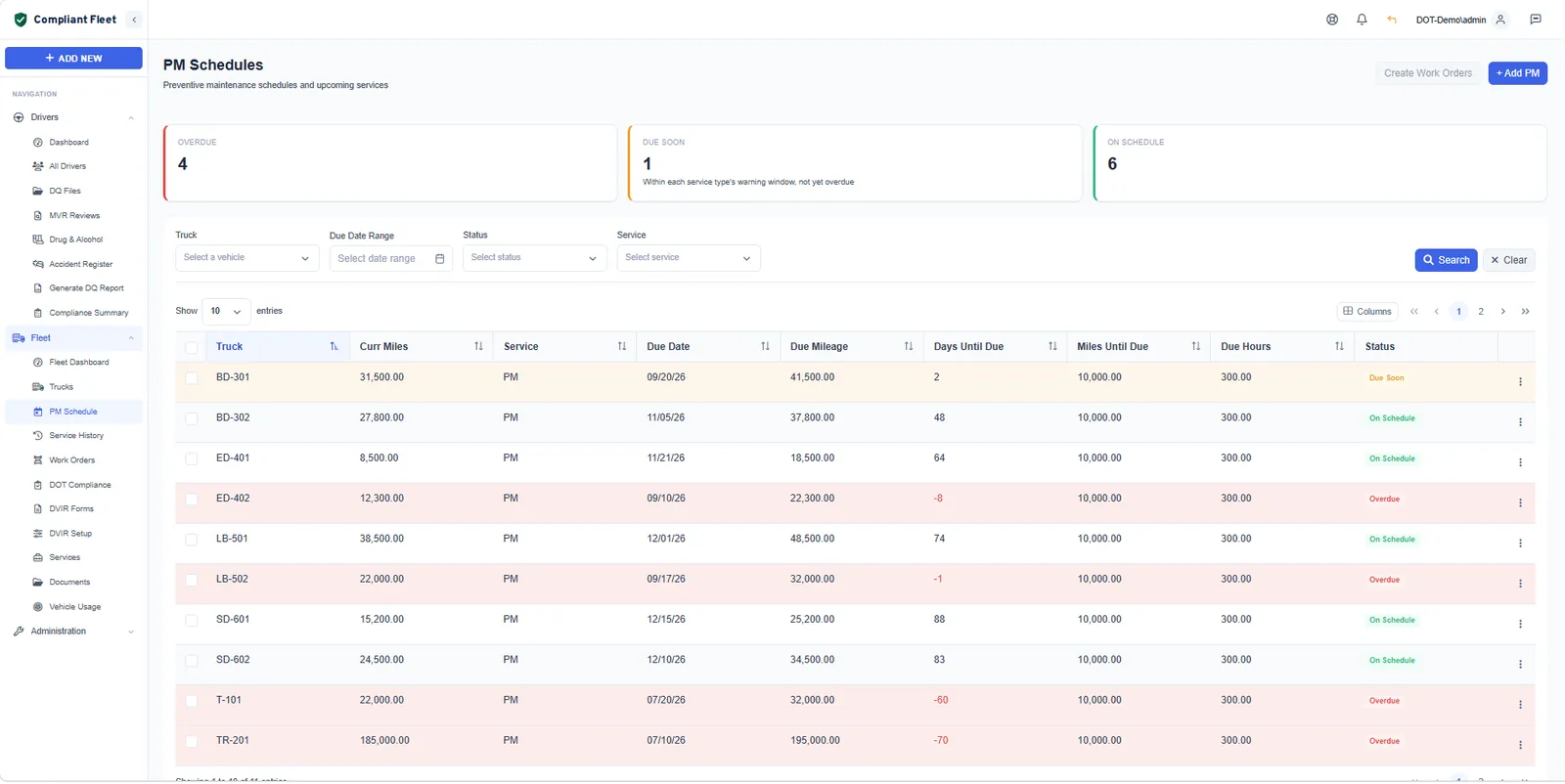
PM schedules that run on days, miles or hours
Define each service once, such as an oil and filter change, brake service or tire rotation, with a time interval, mileage interval and engine hour interval. Every truck gets a due date and due mileage, and the list sorts itself into overdue, due soon and on schedule.
- Intervals by days, miles and engine hours
- Days and miles until due for every truck
- Create work orders straight from due PM
Work orders
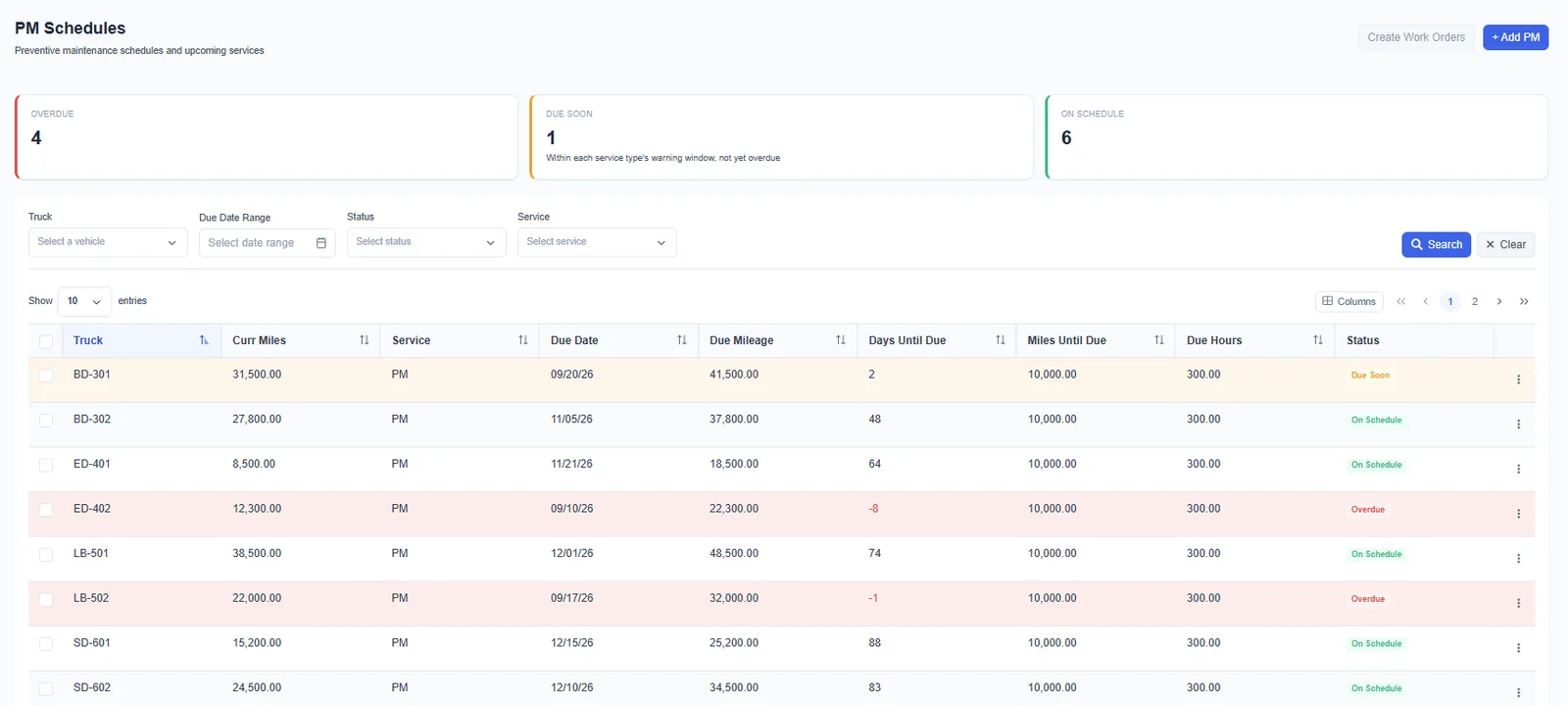
Work orders with the real cost of every repair
Open a work order for scheduled maintenance or a repair, assign it, and record labor and parts. Log outside shop invoices on the same work order so every repair lands in one history, whoever did the work.
- Labor and parts cost on every work order
- Assign work and track status to completion
- Search by issue date, completion date, vehicle or assignee
Service history
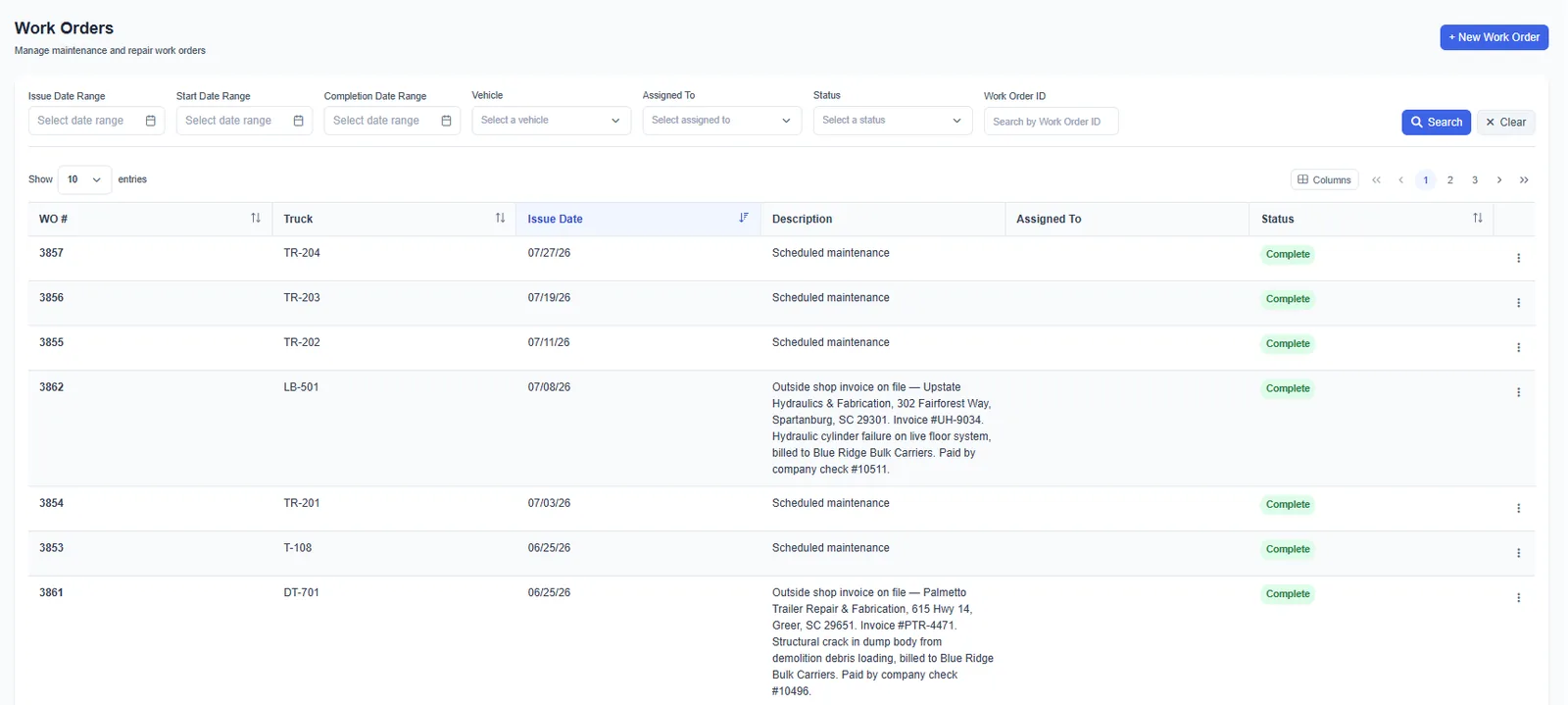
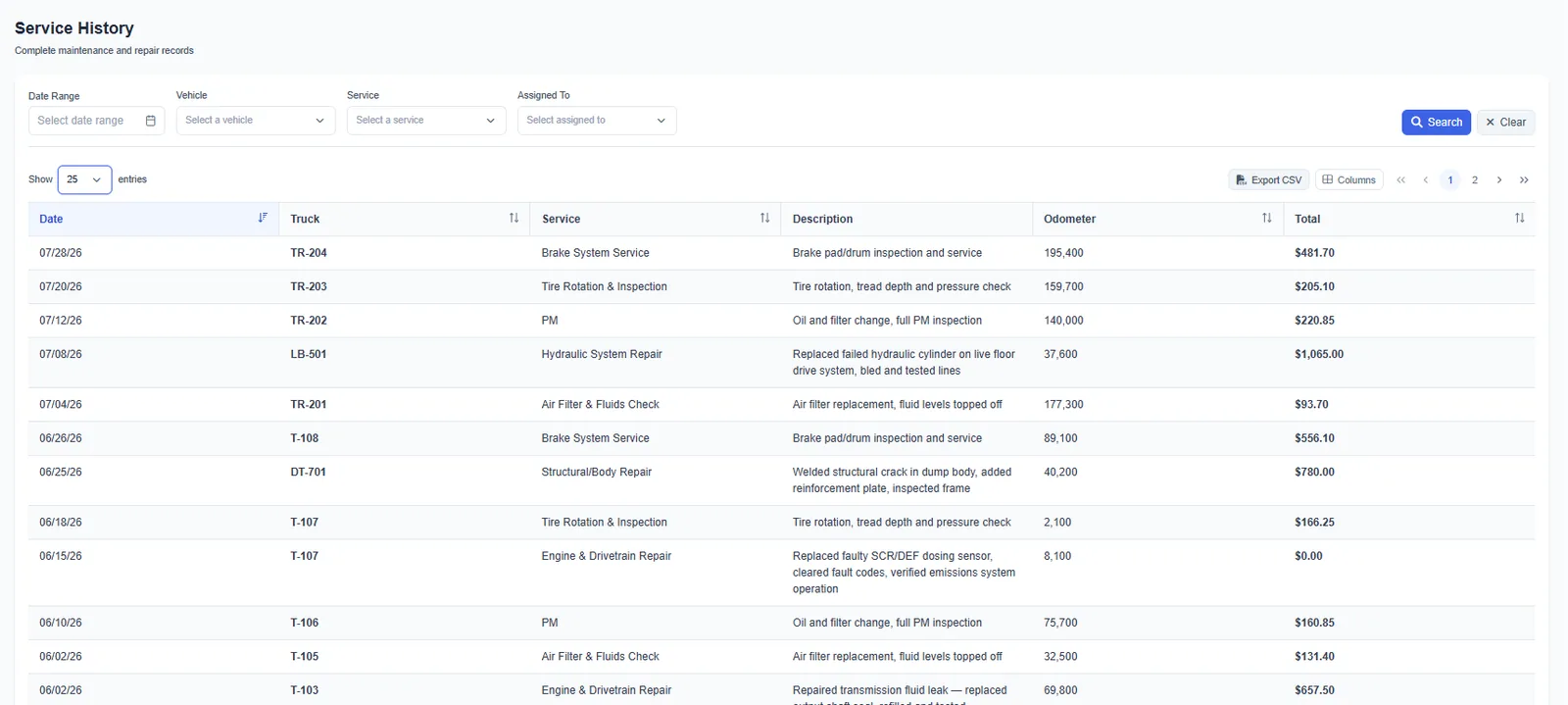
A complete service history for every truck
Every PM and repair is recorded by date, truck, service, odometer and total cost. When an inspector or a buyer asks what’s been done to a truck, the answer is one filter away, and exports to CSV.
- Filter by date range, vehicle, service or assignee
- Odometer and cost on every entry
- Export to CSV
Vehicles and telematics
Every truck and trailer, with miles kept current
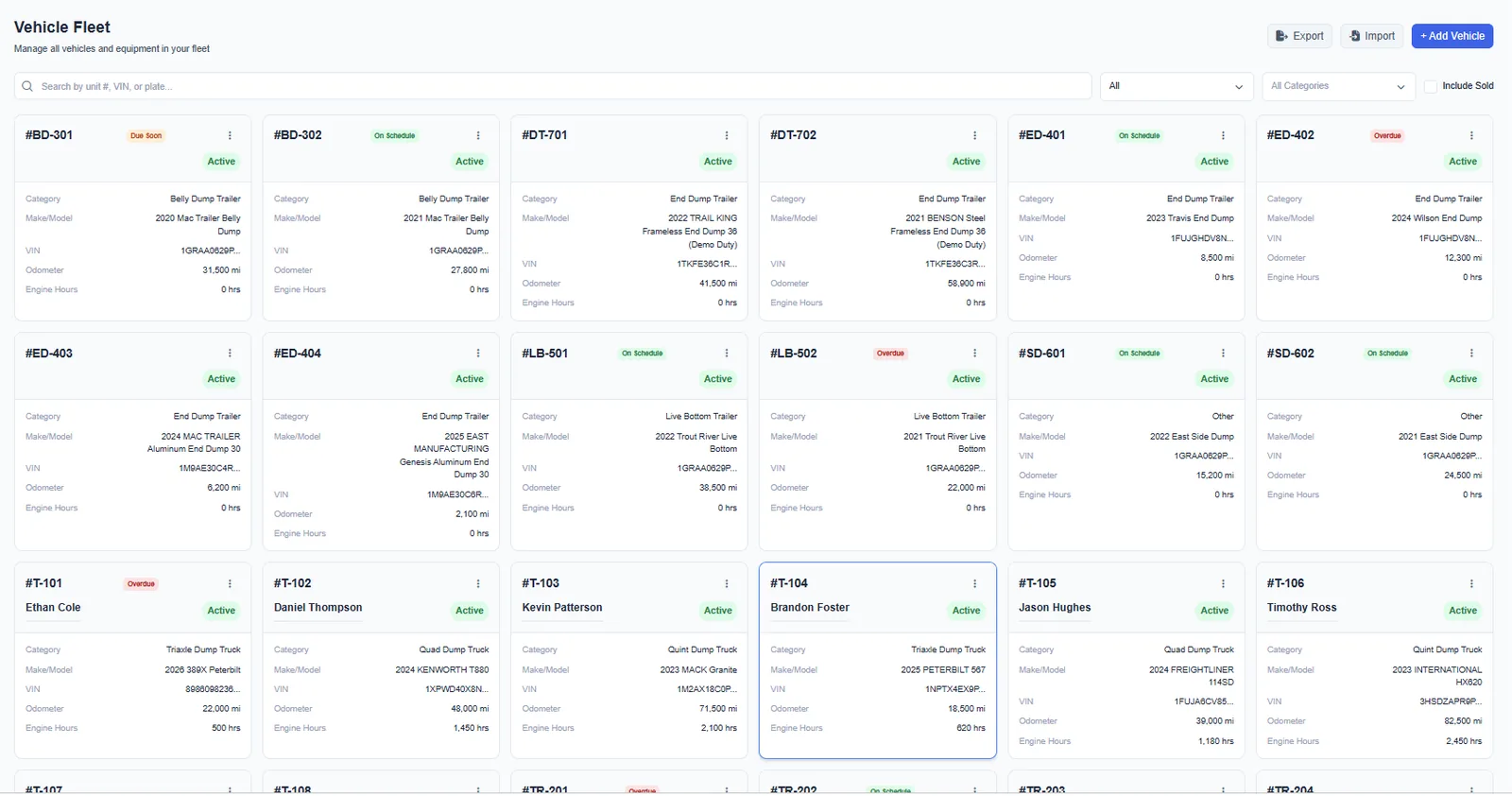
Keep each unit’s category, make and model, VIN, odometer, engine hours and documents in one record. Import your list from a spreadsheet. If you run Samsara or Wialon, odometer and engine hours sync every night so mileage-based PM stays accurate.
- Trucks, trailers and equipment in one fleet list
- Import and export your vehicle list
- Nightly odometer and engine hours from Samsara and Wialon
Fleet dashboard
Maintenance and compliance on the same screen
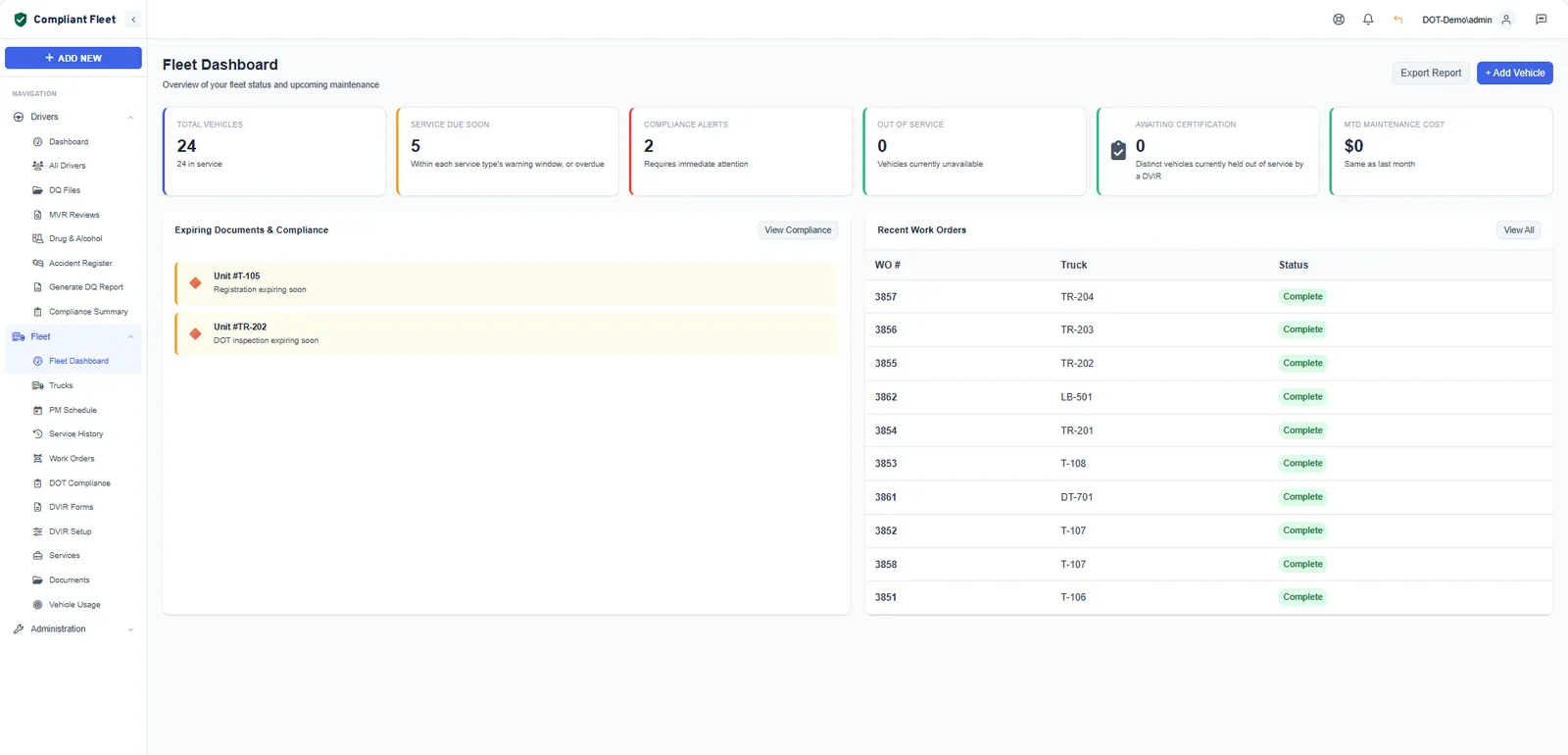
The fleet dashboard puts service due soon, compliance alerts, out-of-service trucks, repairs awaiting certification and month-to-date maintenance cost side by side, so the shop and the office work from the same list.
Questions
Vehicle maintenance questions
What maintenance records does FMCSA require?
For each vehicle a carrier controls for 30 consecutive days or more, §396.3(b) requires:
- Identification: company unit number, make, serial number, year and tire size
- A schedule showing the type and due date of the inspections and maintenance to be performed
- A record of each inspection, repair and maintenance operation, with its date and nature
Keep the records for one year, and for six months after the vehicle leaves your control (§396.3(c)).
Can I schedule preventive maintenance by engine hours?
Yes. Each service type can have a time interval in days, a mileage interval and an engine hour interval. Compliant Fleet shows what is overdue, due soon or on schedule for every truck.
Does Compliant Fleet connect to my telematics?
Compliant Fleet pulls odometer and engine hours nightly from Samsara and Wialon, so mileage and hour-based PM stays current without manual entry. If you use a different system, you can enter readings by hand.
Can I track trailers and other equipment?
Yes. Add trucks, trailers and other equipment as vehicles with their own category, make and model, VIN, odometer and engine hours. Each one gets its own PM schedule, work orders, documents and service history.
Does Compliant Fleet manage parts inventory?
Not today. Work orders record labor and parts costs for each repair, so you can see what each truck costs to maintain, but Compliant Fleet does not track parts stock on the shelf.
Can I record work done by an outside shop?
Yes. Record outside repairs as work orders and note the shop and invoice number. They appear in the truck’s service history alongside work done in house.
Also in Compliant Fleet
Put your PM schedule on autopilot.
Set your service intervals once. Compliant Fleet tells you which trucks are due, and keeps the history.